
Working: Mon - Sat: 9.00am - 6.00pm

Windows Application Project

Windows Application Development Project

Develop a practical Windows-based desktop application with a functional GUI, database integration, and real-time data processing. This project is aimed at students and developers to learn full Windows app development lifecycle.

Conducted under Texaaware Software Solutions, the project demonstrates using C# and .NET technologies to create robust and interactive Windows applications.

Objectives: Build a fully functional Windows desktop application with GUI and database support.
Problem Statement: Many workflows require standalone applications for efficient task management and automation.
Significance: Learn C# Windows Forms/WPF, database integration, and desktop app deployment.
Technologies Used: C#, .NET Framework, Windows Forms/WPF, SQL Server, ADO.NET.

Project Methodology
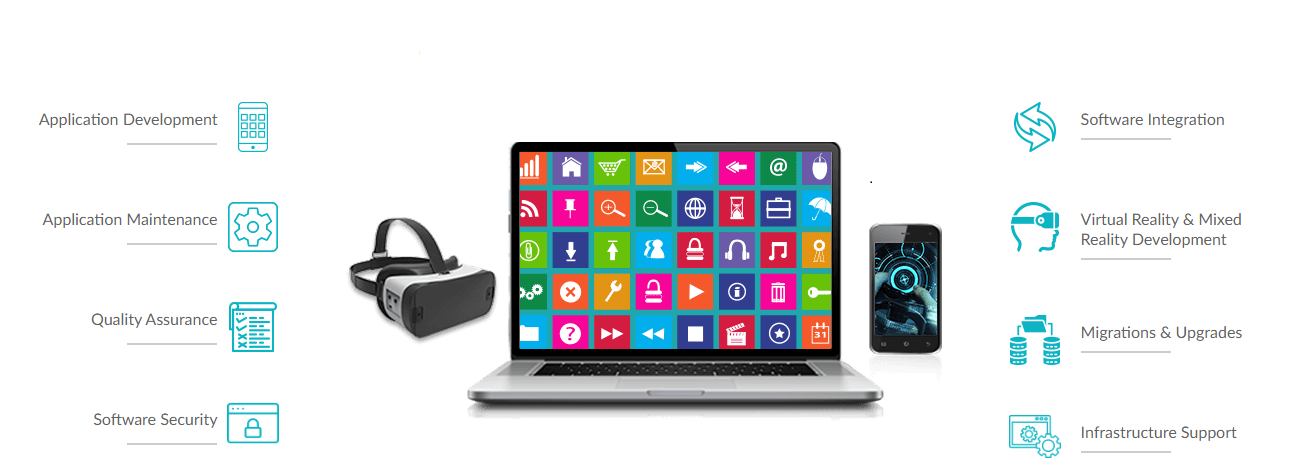
Requirement Analysis and Application Planning
GUI Design with Windows Forms / WPF
Database Integration using SQL Server & ADO.NET
Implementing Business Logic & Data Processing
Testing, Debugging, and Deployment
GUI Screenshot
Database Integration Screenshot

Key Highlights

Windows Forms / WPF GUI Implementation
Database Connectivity and Data Management
Real-time Data Processing and Validation
Modular and Reusable Code Design
Application Packaging & Deployment

Project Results

App Result Screenshot
Report Screenshot

Learning Outcomes

  • Practical Windows app development skills using C# and .NET
  • GUI design experience with Windows Forms / WPF
  • Database integration using SQL Server and ADO.NET
  • Application testing, debugging, and deployment skills
  • Modular and maintainable coding practices
Expert Insights
  • Hands-on Windows app development experience
  • GUI and data management skills
  • Integrating databases with desktop apps
  • Practical deployment strategies
Industry Use Cases
  • Desktop tools for business automation
  • Inventory and resource management
  • Educational software applications
  • Internal company dashboards
Tools & Technologies
  • C#, .NET Framework
  • SQL Server, ADO.NET
  • Visual Studio IDE
  • Windows Forms / WPF
Challenges & Solutions
  • GUI layout complexities – solved using WPF layouts
  • Data validation – implemented input checking and error handling
  • Database connectivity issues – used ADO.NET best practices
  • Deployment on different Windows versions – tested thoroughly